
Leave the grid: generative visuals with p5.js and Three.js
The standard web has become a grid of predictable boxes. As builders, we should see the web not as a static document, but as a dynamic canvas. Libraries like p5.js and Three.js are the tools we can use to break free from the grid and create immersive, generative experiences.
p5.js: Your Generative Canvas
p5.js is a JavaScript library that simplifies the process of creating interactive graphics and generative art. It gives you direct control over the HTML canvas for data visualization and unique user interfaces.
The online editor is the perfect place to start experimenting: https://editor.p5js.org/
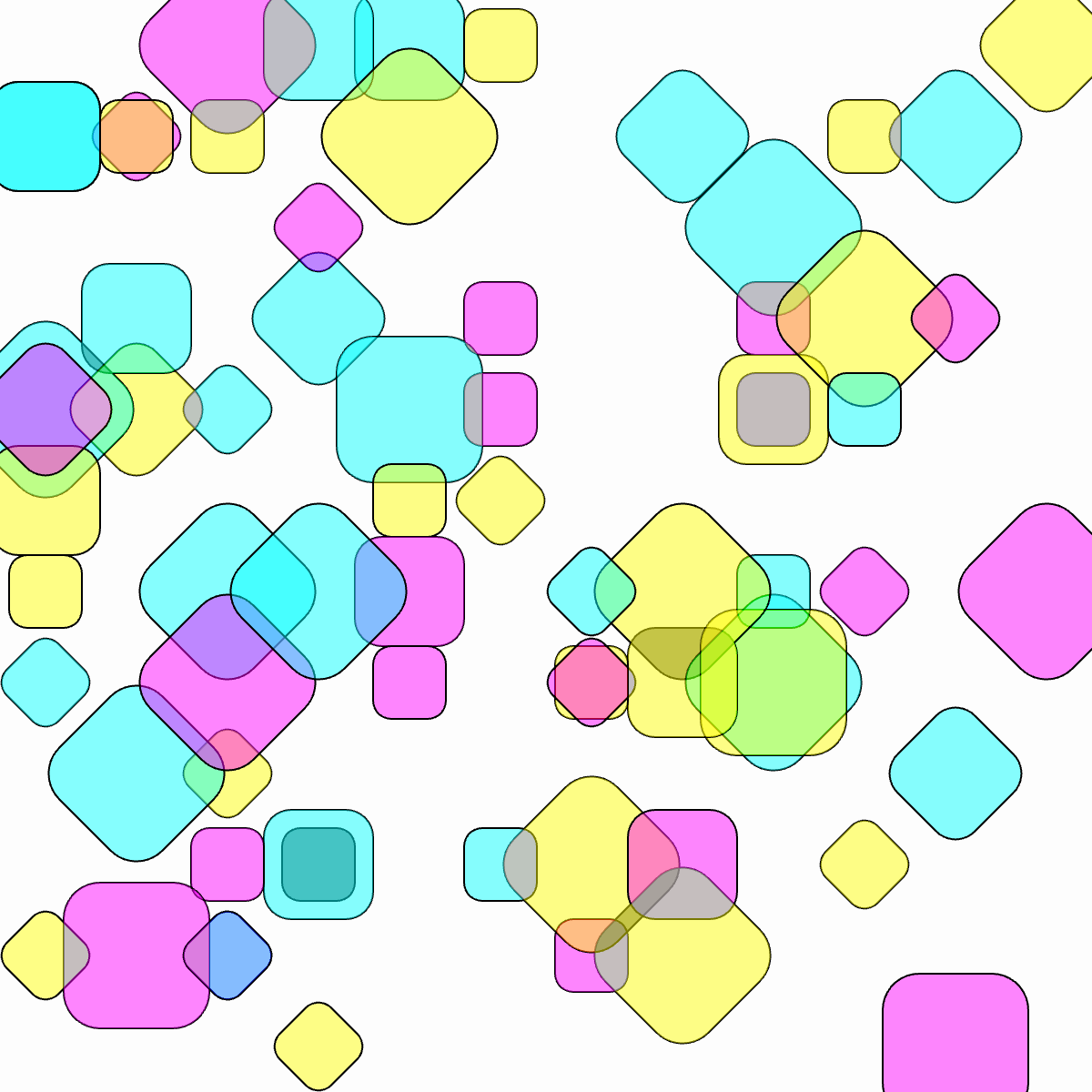
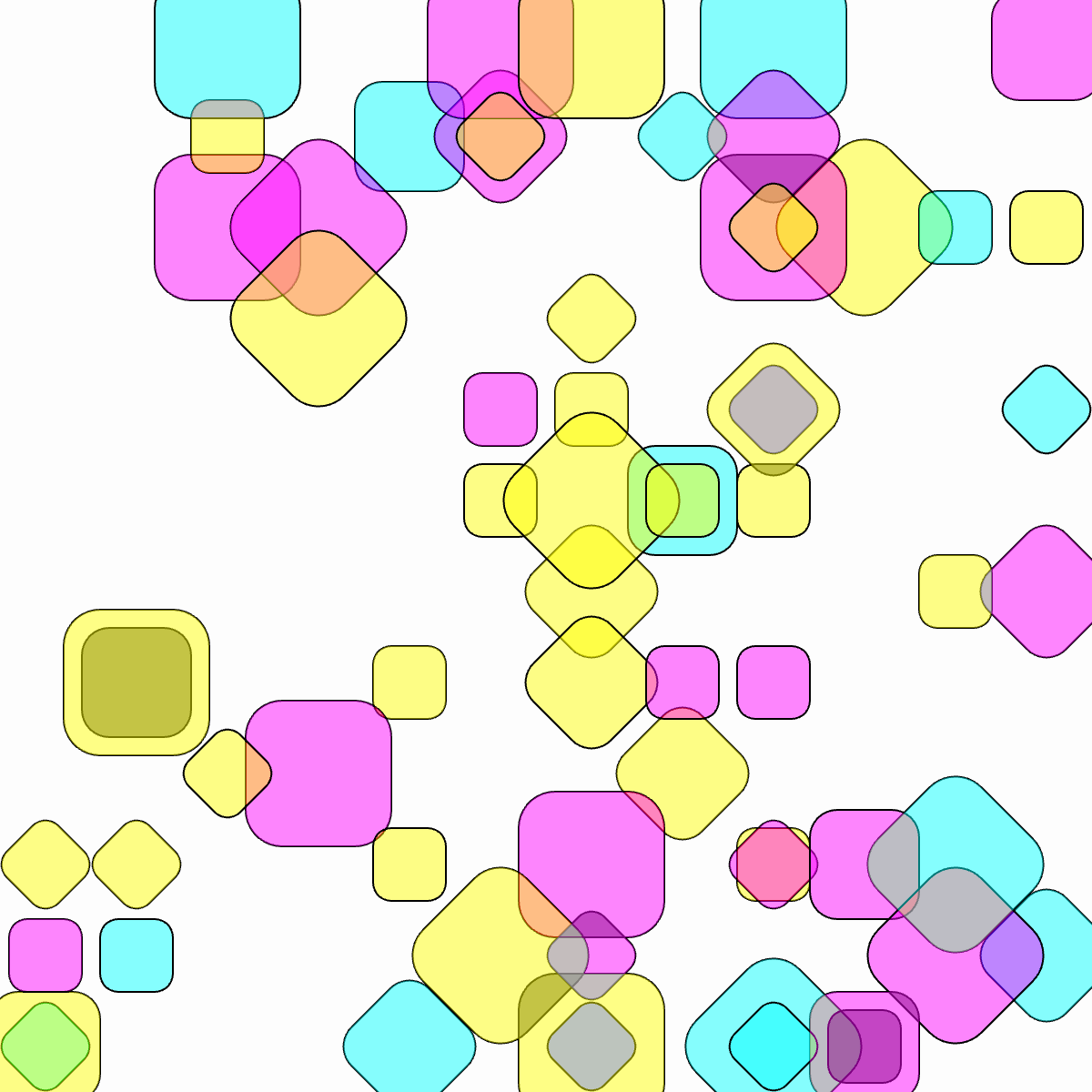
This code sample is a blueprint for a generative system. Take it apart and see how it works:
function setup() {
createCanvas(600, 600);
//noFill(0);
angleMode(DEGREES);
rectMode(CENTER);
frameRate(4);
//noLoop(); //before turning this off, try turning off lines 23 & or 26
//the choice of colors were inspired by the risograph
}
function draw()
background(0, 1);
for (let x = 0; x < 12; x++) {
for (let y = 0; y < 12; y++) {
push();
translate(25 + x * 50, 25 + y * 50);
let b = int(random(3));
if (b == 0){
  blendMode(OVERLAY);
}
if (b == 1){
  blendMode(MULTIPLY);
}
if (b == 1){
  blendMode(EXCLUSION);
}
let r = int(random(4));
if (r == 0){
  rotate(45);
}
if (r == 1){
  rotate(-45);
}
if (r == 2){
  rotate(90);
}
if (r == 3){
  rotate(180);
}
let d = int(random(4));
if (d == 0){
  d = 40;
}
if (d == 1){
  d = 40;
}
if (d == 2){
  d = 60;
}
if (d == 3){
  d = 80;
}
let c = int(random(3));
if (c == 0){
  fill(255, 255, 0, 120);
}
if (c == 1){
  fill(255, 0, 255, 120);
}
if (c == 2){
  fill(0, 255, 255, 120);
}
let s = int(random(12));
if (s == 0){
  rect(0, 0, d, d, d/4); //replace argument 3 with 100 for a more interesting look
}
if (s == 1){
  rect(0, 0, d, d, d/4); //replace argument 3 with 80 for a cleaner look
}
if (s == 2){
  rect(0, 0, d, d, d/4); //replace argument 3 with 60 for a cleaner look
}
if (s == 3){
  //circle(0, 0, 25);
}
if (s == 4){
  //circle(0, 0, 50);
}
if (s == 5){
  //circle(0, 0, 100);
}
if (s == 6 || s == 7 || s == 8 || s == 9 || s == 10 || s == 11){ //i liked having a lot of open space, feel free to mute this section & change line 65's
}
}
if (frameCount == 2){ //adjust max framecount to your liking. I like 2 because it has fun
noLoop();
}
}
Three.js: Bringing 3D to the Web
Three.js is another popular JavaScript library, but it focuses on creating and displaying 3D graphics using WebGL. It simplifies the process of setting up a 3D scene, creating objects, adding lights, and animating them directly in a browser.
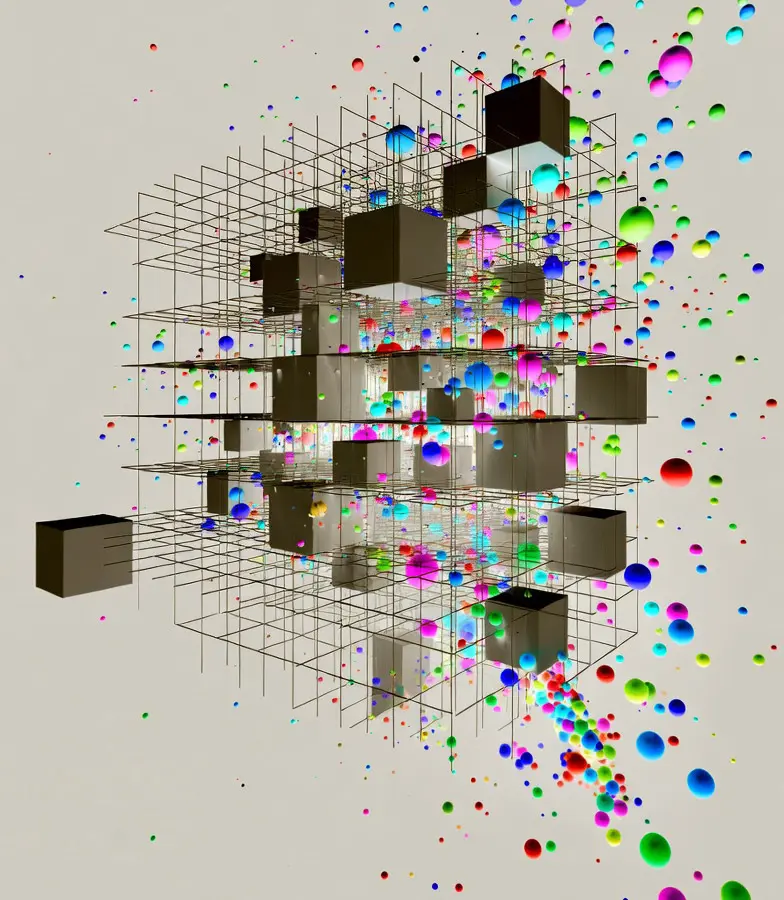
Below is an HTML file with a Three.js example that creates a scene with animated cubes and particles. You can try it out in the Three.js editor: https://threejs.org/editor/
    <script src="https://cdnjs.cloudflare.com/ajax/libs/three.js/r134/three.min.js"></script>
    <script>
        // Scene setup
        const scene = new THREE.Scene();
        const camera = new THREE.PerspectiveCamera(75, window.innerWidth / window.innerHeight, 0.1, 1000);
        const renderer = new THREE.WebGLRenderer({ antialias: true });
        renderer.setSize(window.innerWidth, window.innerHeight);
        document.body.appendChild(renderer.domElement);

        // Lighting
        const ambientLight = new THREE.AmbientLight(0xffffff, 0.5);
        scene.add(ambientLight);
        const pointLight = new THREE.PointLight(0xffffff, 1);
        pointLight.position.set(50, 50, 50);
        scene.add(pointLight);

        // Cubes array
        const cubes = [];
        const cubeCount = 20;

        // Create colorful cubes
        for (let i = 0; i < cubeCount; i++) {
            const geometry = new THREE.BoxGeometry(1, 1, 1);
            const material = new THREE.MeshPhongMaterial({
                color: new THREE.Color(Math.random(), Math.random(), Math.random()),
                shininess: 100
            });
            const cube = new THREE.Mesh(geometry, material);

            // Random position
            cube.position.set(
                (Math.random() - 0.5) * 50,
                (Math.random() - 0.5) * 50,
                (Math.random() - 0.5) * 50
            );

            // Random rotation speed
            cube.rotationSpeed = {
                x: Math.random() * 0.05,
                y: Math.random() * 0.05,
                z: Math.random() * 0.05
            };

            scene.add(cube);
            cubes.push(cube);
        }

        // Particle system
        const particleCount = 200;
        const particles = new THREE.BufferGeometry();
        const positions = new Float32Array(particleCount * 3);
        const colors = new Float32Array(particleCount * 3);

        for (let i = 0; i < particleCount * 3; i += 3) {
            positions[i] = (Math.random() - 0.5) * 100;
            positions[i + 1] = (Math.random() - 0.5) * 100;
            positions[i + 2] = (Math.random() - 0.5) * 100;

            colors[i] = Math.random();
            colors[i + 1] = Math.random();
            colors[i + 2] = Math.random();
        }

        particles.setAttribute('position', new THREE.BufferAttribute(positions, 3));
        particles.setAttribute('color', new THREE.BufferAttribute(colors, 3));

        const particleMaterial = new THREE.PointsMaterial({
            size: 0.5,
            vertexColors: true,
            transparent: true,
            opacity: 0.8
        });

        const particleSystem = new THREE.Points(particles, particleMaterial);
        scene.add(particleSystem);

        // Camera position
        camera.position.z = 50;

        // Animation
        function animate() {
            requestAnimationFrame(animate);

            // Animate cubes
            cubes.forEach(cube => {
                cube.rotation.x += cube.rotationSpeed.x;
                cube.rotation.y += cube.rotationSpeed.y;
                cube.rotation.z += cube.rotationSpeed.z;

                // Gentle floating motion
                cube.position.y += Math.sin(Date.now() * 0.001 + cube.position.x) * 0.01;
            });

            // Animate particles
            particleSystem.rotation.y += 0.001;

            // Color shifting
            const time = Date.now() * 0.0005;
            cubes.forEach(cube => {
                cube.material.color.setHSL(
                    (Math.sin(time + cube.position.x) + 1) / 2,
                    0.8,
                    0.5
                );
            });

            renderer.render(scene, camera);
        }

        // Handle window resize
        window.addEventListener('resize', () => {
            camera.aspect = window.innerWidth / window.innerHeight;
            camera.updateProjectionMatrix();
            renderer.setSize(window.innerWidth, window.innerHeight);
        });

        // Start animation
        animate();
    </script>
Play with the threejs editor here! https://threejs.org/editor/