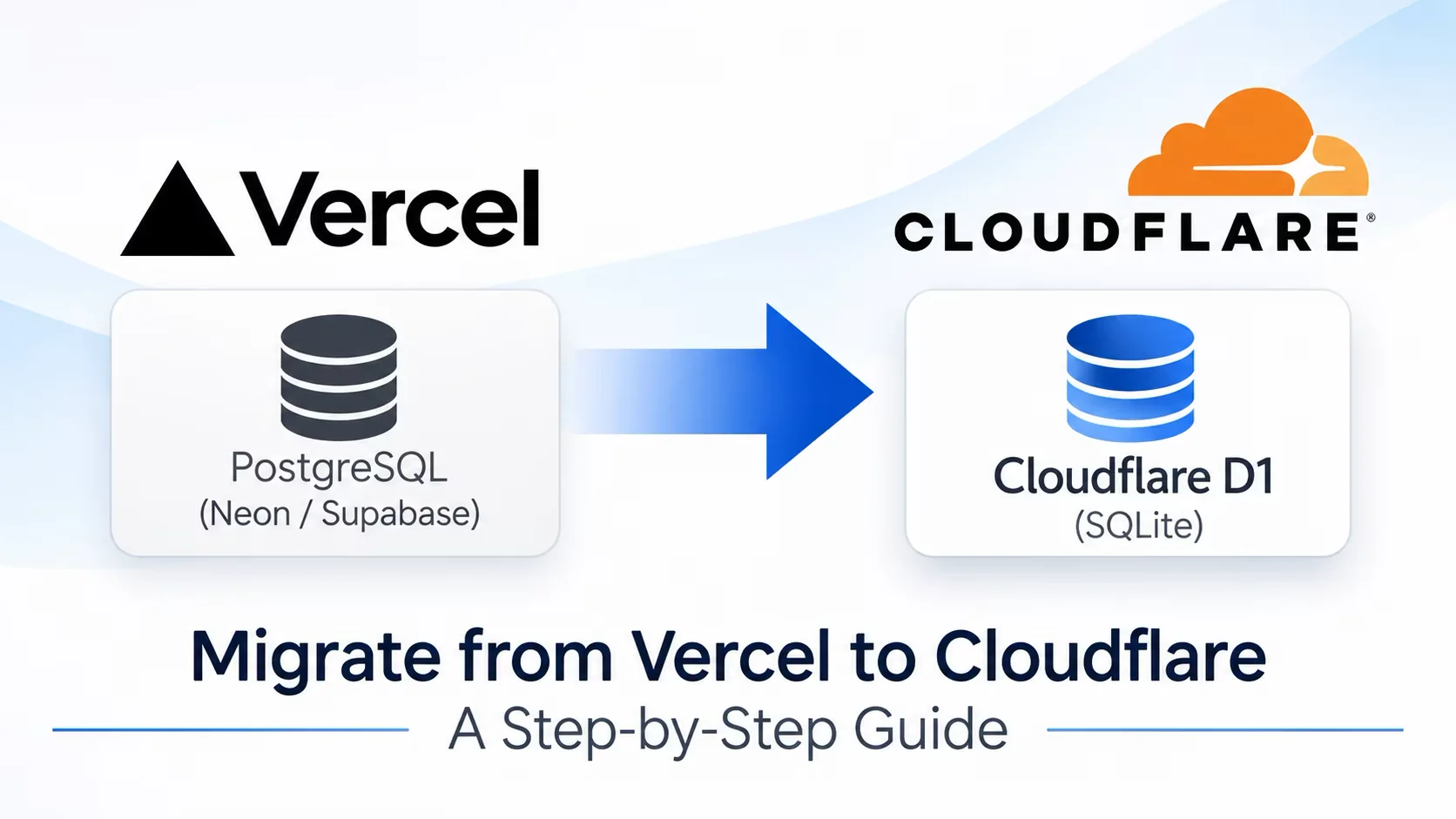

A practical migration strategy for Next.js applications, hosted PostgreSQL databases, and application infrastructure
Vercel is a good place to start building applications. Connect a GitHub repository, configure a few environment variables, and deploy.
But as the number of applications grows, so does the infrastructure behind them.
Hosting, databases, object storage, caching, background processing, and application services can quickly become a collection of separate providers and configurations.
Cloudflare offers an opportunity to consolidate much of that infrastructure.
Workers can run Next.js applications. D1 provides a managed SQLite database. R2 handles object storage. KV provides distributed key-value storage. Hyperdrive connects Workers to existing PostgreSQL databases.
For developers operating multiple applications, this can simplify infrastructure and create a more consistent deployment architecture.
There are two migrations worth considering:
- Moving application hosting from Vercel to Cloudflare Workers.
- Moving application databases from hosted PostgreSQL providers such as Neon, Supabase, or Vercel Postgres to Cloudflare D1.
These migrations are related, but they are not the same project.
You can move an application to Cloudflare Workers and continue using PostgreSQL. You can also migrate PostgreSQL to D1 independently.
The decision to do both should be based on the application's requirements, database characteristics, and operational needs.
This guide explains both migrations, including the architecture, implementation details, code examples, data conversion, testing, and production cutover.
The approach is based on the migration process we're using across the Pantaleone application portfolio, including a dedicated Neon-to-D1 migration for imgsquash.com.
1. Why move application infrastructure to Cloudflare?
The decision isn't about one platform being better than another.
Vercel provides an excellent Next.js development experience. Cloudflare provides a broader infrastructure platform with application execution, storage, databases, networking, and security services.
The opportunity is to consolidate more of the application stack.
| Requirement | Existing provider | Cloudflare |
|---|---|---|
| Application hosting | Vercel | Workers |
| Next.js deployment | Vercel runtime | OpenNext |
| Static assets | Vercel CDN | Workers Static Assets |
| PostgreSQL | Neon / Supabase | D1 or Hyperdrive |
| Relational database | Vercel Postgres | D1 |
| Object storage | Vercel Blob / S3 | R2 |
| Key-value storage | Redis / Upstash | Workers KV |
| Distributed state | External services | Durable Objects |
| Scheduled jobs | Vercel Cron | Workers Cron Triggers |
| Background processing | External services | Queues / Workflows |
| Edge caching | Vercel CDN | Cloudflare Cache |
The biggest benefit is having fewer infrastructure dependencies.
Instead of maintaining separate configurations for application hosting, databases, file storage, and background processing, you can build around a common platform.
There are also economic considerations.
Cloudflare Workers Paid (2026 pricing) starts at $5 per month per account and includes 10 million requests and 30 million CPU milliseconds per month (Workers pricing).
D1 has separate storage and query allowances. R2, KV, and other services have their own pricing.
These costs should be evaluated together rather than assuming that moving to Cloudflare automatically makes every application cheaper.
For a portfolio of relatively small applications, however, the ability to consolidate infrastructure can mean fewer bills, dashboards, and credentials to manage.
The architecture we're targeting
A typical Cloudflare-hosted application might look like this:
                  Users
                    |
                    v
              Cloudflare
                    |
                    v
             Cloudflare Worker
                    |
             Next.js / OpenNext
                    |
          +---------+----------+
          |         |          |
          v         v          v
         D1         R2         KV
      Database   File Store   Cache
          |
          v
     Application Data

          |
          v
     External Services
     Stripe / Resend / APIs
Not every application needs every service.
The objective is to use the simplest architecture that supports the application's actual requirements.
2. Moving Next.js from Vercel to Cloudflare Workers
Before addressing databases, establish how the application itself will run.
Vercel and Cloudflare Workers use different execution environments.
Vercel provides a hosting environment designed around Next.js. Cloudflare Workers uses a V8 isolate runtime with Node.js compatibility APIs.
This distinction matters for applications that depend on Node.js packages, filesystem operations, native modules, or platform-specific functionality.
OpenNext
For existing Next.js applications, OpenNext for Cloudflare provides an established migration path.
OpenNext adapts the output of a Next.js production build so that it can run on Cloudflare Workers.
The application remains a Next.js application. You aren't rewriting the frontend or converting every route into a standalone Worker.
Install the adapter:
npm install -D @opennextjs/cloudflare wranglerInitialize the configuration:
npx opennextjs-cloudflare initThe process generates the necessary Cloudflare configuration and supporting files.
A typical project includes:
my-nextjs-app/
  app/
  components/
  lib/
  public/
  drizzle/
  scripts/
  wrangler.jsonc
  open-next.config.ts
  worker.ts
  package.json
The generated configuration should be the starting point.
For example, the D1 binding eventually used by the application can be declared in Wrangler:
{
  "name": "my-nextjs-app",
  "compatibility_date": "2026-11-01",
  "compatibility_flags": [
    "nodejs_compat"
  ],
  "d1_databases": [
    {
      "binding": "DB",
      "database_name": "my-nextjs-db",
      "database_id": "YOUR_DATABASE_ID",
      "migrations_dir": "drizzle/migrations"
    }
  ]
}
This is a simplified configuration example. Preserve the Worker entry point, assets configuration, and other settings generated by your OpenNext initialization.
Important compatibility considerations
Review the following before deployment:
middleware.tsandproxy.tsbehavior.- Node.js package compatibility.
- Native dependencies such as
sharp. - Image optimization.
- API routes and server actions.
- Environment variables and secrets.
- ISR and caching.
- Database connections.
- Background processing.
A successful build doesn't prove that the application behaves correctly in the Cloudflare runtime.
Deploy to a temporary workers.dev URL and test the application before changing production DNS.
For new Next.js applications, also evaluate Cloudflare vinext. It provides a Vite-based implementation of the Next.js API surface and is a separate approach from OpenNext.
For established applications, choose the migration path based on actual framework compatibility rather than changing architectures unnecessarily.
3. Understanding the PostgreSQL-to-D1 opportunity
The database migration is where the architecture changes more substantially.
Many Next.js applications use PostgreSQL through one of the following providers:
- Neon
- Supabase
- Vercel Postgres
- Other managed PostgreSQL providers
These services provide a traditional relational database with PostgreSQL-specific functionality.
Cloudflare D1 is different.
D1 is a managed relational database built on SQLite. It integrates directly with Cloudflare Workers through a database binding.
Instead of connecting to a remote PostgreSQL server using a connection string, the Worker accesses D1 through its runtime environment.
For many smaller applications, this can simplify the database layer.
What changes?
| Area | PostgreSQL | Cloudflare D1 |
|---|---|---|
| Database engine | PostgreSQL | SQLite |
| SQL dialect | PostgreSQL SQL | SQLite SQL |
| Application connection | Connection string / driver | Worker binding |
| UUID | Native UUID | TEXT |
| Boolean | BOOLEAN | INTEGER |
| JSON | JSON / JSONB | TEXT with JSON functions |
| Arrays | Native arrays | JSON or related tables |
| Enums | Native ENUM | TEXT with validation |
| Numeric | NUMERIC / DECIMAL | INTEGER, REAL, or TEXT |
| Timestamp | TIMESTAMP / TIMESTAMPTZ | Typically TEXT |
| Database schema | PostgreSQL schemas | SQLite tables |
| Sequences | Native sequences | SQLite identity or application-generated IDs |
| Extensions | PostgreSQL extensions | Supported SQLite functionality |
This isn't a simple connection-string change.
The database schema, SQL queries, ORM configuration, and sometimes application logic need to be converted.
The good news is that many conventional SaaS application data models map cleanly to SQLite.
Users, sessions, preferences, processing jobs, subscriptions, usage records, and application settings are all reasonable candidates.
When D1 makes sense
D1 is particularly interesting for applications with:
- Relatively small relational datasets.
- Conventional CRUD operations.
- User and account records.
- Application configuration.
- Processing history.
- Product catalogs.
- Content management.
- Metadata and usage tracking.
- Read-heavy workloads.
- Cloudflare Workers as the application runtime.
D1 currently supports databases up to 10 GB on Workers Paid, with global read replication available.
There are important architectural constraints.
Each individual D1 database is single-threaded. Queries are processed sequentially by the database instance. Read replication can distribute read workloads, but writes still go to the primary.
This makes query efficiency and workload design important.
D1 is not intended to replace every PostgreSQL deployment.
For applications with extensive analytical workloads, high write concurrency, complex PostgreSQL extensions, or specialized database functionality, retaining PostgreSQL may be the better choice.
The decision: D1 or Hyperdrive?
You don't have to migrate your database to take advantage of Cloudflare Workers.
Cloudflare Hyperdrive connects Workers to existing PostgreSQL and MySQL databases.
Use this decision framework:
| Requirement | Recommendation |
|---|---|
| Small application database | D1 |
| Existing PostgreSQL with complex queries | Hyperdrive |
| Existing Postgres extensions | Hyperdrive |
| New SQLite-compatible application | D1 |
| Large analytical workloads | Retain a suitable analytical database |
| High write concurrency | Evaluate PostgreSQL |
| Conventional SaaS CRUD | D1 is worth evaluating |
| Need minimal migration changes | Hyperdrive |
A useful strategy is to migrate hosting first and databases separately.
That lets you validate Cloudflare Workers without introducing database migration risk at the same time.
4. Understanding your existing PostgreSQL provider
The extraction process is similar across PostgreSQL providers, but there are important differences.
Vercel Postgres
Vercel Postgres is no longer available as a new standalone database product.
Existing Vercel Postgres databases were migrated to Neon in December 2024.
New Vercel projects use PostgreSQL integrations from the Vercel Marketplace.
This means that if you have an older Vercel Postgres application, you're likely dealing with a Neon-backed database.
Start by identifying the actual database provider and obtaining its direct connection string.
Don't assume that a Vercel environment variable represents a proprietary Vercel database.
Inspect the connection hostname and the provider configuration.
Documentation: Vercel Postgres.
Neon
Neon provides managed PostgreSQL with branching, autoscaling, and connection pooling.
It is a good PostgreSQL provider, but the underlying database is still PostgreSQL.
For migration, use a direct, unpooled connection string with pg_dump.
Neon specifically recommends avoiding pooled connections for native PostgreSQL export operations.
Example:
export SOURCE_DATABASE_URL="postgresql://..."Export the schema:
pg_dump \
  "$SOURCE_DATABASE_URL" \
  --schema-only \
  --no-owner \
  --no-privileges \
  --file=exports/schema.sql
Export data:
pg_dump \
  "$SOURCE_DATABASE_URL" \
  --data-only \
  --column-inserts \
  --no-owner \
  --no-privileges \
  --file=exports/data.sql
These are PostgreSQL extraction commands, not D1 import commands.
The resulting SQL still requires conversion before it can be executed against SQLite.
For larger databases, consider a table-by-table export and streaming conversion pipeline rather than generating one enormous INSERT-based dump.
Documentation: Neon database exports.
Supabase
Supabase requires more planning because it is more than a PostgreSQL hosting service.
A Supabase project can include:
- PostgreSQL.
- Supabase Auth.
- Supabase Storage.
- Realtime.
- Edge Functions.
- Row Level Security.
- PostgreSQL extensions.
Moving its relational data to D1 does not automatically migrate these other services.
Start with the database connection information in the Supabase dashboard.
For native PostgreSQL export, use a direct connection where available.
Supabase recommends direct connections for migrations, pg_dump, backup, and restore operations.
Example:
pg_dump \
  "$SUPABASE_DATABASE_URL" \
  --schema-only \
  --no-owner \
  --no-privileges \
  --file=exports/supabase-schema.sql
Then export application data separately.
Important: Supabase database backups do not contain the actual files stored through Supabase Storage. They contain database metadata, not the underlying objects.
If you're moving from Supabase to Cloudflare, you need a separate plan for Storage objects, authentication, and application authorization.
Documentation:
5. Audit the PostgreSQL database before conversion
This is the most important part of a database migration.
Don't start by translating SQL or changing the ORM.
First, understand the complete source database.
Inspect:
- Tables and columns.
- Data types.
- Primary keys.
- Foreign keys.
- Indexes.
- Unique constraints.
- Defaults.
- Nullability.
- Sequences.
- Triggers.
- Functions.
- Views.
- Extensions.
- Generated columns.
- Row Level Security policies.
Also inspect the application.
A database schema alone doesn't tell you how the application uses the database.
Search for:
- ORM queries.
- Raw SQL.
- API routes.
- Server actions.
- Authentication logic.
- Background jobs.
- Webhooks.
- Database transactions.
- Scheduled tasks.
- External integrations.
Capture a baseline
Before exporting, record the source database state.
For example:
SELECT
  table_schema,
  table_name
FROM information_schema.tables
WHERE table_type = 'BASE TABLE'
  AND table_schema NOT IN (
    'pg_catalog',
    'information_schema'
  )
ORDER BY table_schema, table_name;
Inspect columns:
SELECT
  table_name,
  column_name,
  data_type,
  is_nullable,
  column_default
FROM information_schema.columns
WHERE table_schema = 'public'
ORDER BY table_name, ordinal_position;
Capture row counts for every application table.
Also record the export timestamp.
These values become the baseline for migration verification.
Don't assume all PostgreSQL features have SQLite equivalents
Some conversions are straightforward.
Others require application-level changes.
For example:
| PostgreSQL feature | Migration consideration |
|---|---|
| UUID | Store as TEXT |
| JSONB | Store as JSON TEXT |
| ENUM | TEXT with CHECK constraint |
| ARRAY | JSON TEXT or normalized table |
ILIKE | SQLite-compatible case-insensitive comparison |
NOW() | Application-generated timestamp or SQLite function |
RETURNING | Supported by modern SQLite, test ORM behavior |
ON CONFLICT | SQLite supports UPSERT |
SERIAL | INTEGER PRIMARY KEY or application-generated ID |
BIGSERIAL | INTEGER PRIMARY KEY with range validation |
NUMERIC | Scaled INTEGER or validated TEXT |
BYTEA | BLOB, subject to D1 row limits |
| PostgreSQL schemas | Consolidate or redesign namespaces |
| Triggers | Reimplement and test |
| Stored procedures | Move logic into application code or supported SQL |
| RLS | Reimplement authorization at the application layer |
| PostgreSQL extensions | Replace or retain PostgreSQL |
Don't silently remove functionality because there isn't an obvious SQLite equivalent.
Every unsupported feature needs an explicit decision.
6. Convert PostgreSQL schema and data to SQLite
Once the audit is complete, build a conversion process.
I recommend using a repeatable migration script rather than manually editing a SQL export.
The converter should understand the source schema and generate SQLite-compatible output.
It should also generate a report of unsupported or ambiguous conversions.
Recommended type mapping
| PostgreSQL type | D1 representation | Recommendation |
|---|---|---|
| UUID | TEXT | Preserve existing UUID values |
| VARCHAR | TEXT | No length enforcement unless explicitly added |
| TEXT | TEXT | Direct mapping |
| BOOLEAN | INTEGER | 0 or 1 |
| SMALLINT | INTEGER | Validate range |
| INTEGER | INTEGER | Direct mapping |
| BIGINT | INTEGER or TEXT | Check JavaScript safe integer range |
| SERIAL | INTEGER | Preserve existing IDs |
| TIMESTAMP | TEXT | Preserve original time semantics |
| TIMESTAMPTZ | TEXT | Normalize to UTC ISO 8601 |
| JSON | TEXT | Validate JSON |
| JSONB | TEXT | Preserve JSON structure |
| ENUM | TEXT | Add CHECK constraint |
| NUMERIC | INTEGER or TEXT | Preserve decimal precision |
| BYTEA | BLOB | Check 2 MB row limit |
There are three conversions that deserve particular attention.
UUIDs
PostgreSQL has a native UUID type.
SQLite doesn't.
Store UUIDs as text:
CREATE TABLE users (
  id TEXT PRIMARY KEY NOT NULL,
  email TEXT NOT NULL UNIQUE
);
Preserve existing UUID values.
Don't regenerate IDs during migration.
Foreign keys, sessions, user ownership, and other relationships may depend on them.
Timestamps
PostgreSQL supports several timestamp types.
SQLite generally stores timestamps as text, integers, or real values.
For application databases, UTC ISO 8601 text is a practical choice.
Example:
2026-11-24T16:30:00.000ZBe careful with TIMESTAMP WITHOUT TIME ZONE.
It does not carry the same meaning as TIMESTAMPTZ. Don't automatically interpret every timestamp as UTC without checking how the application originally used it.
Preserve the original meaning and make the conversion explicit.
Numeric precision and currency
This is a common source of subtle migration errors.
PostgreSQL NUMERIC can represent exact decimal values.
JavaScript floating-point numbers cannot represent every decimal value exactly.
For currency, use integer minor units wherever possible.
For example:
$19.99 -> 1999
$125.00 -> 12500
A D1 table might use:
CREATE TABLE payments (
  id TEXT PRIMARY KEY,
  amount_cents INTEGER NOT NULL,
  currency TEXT NOT NULL
) STRICT;
For decimal values that require greater precision, use a carefully validated scaled integer or a canonical decimal string.
Never silently convert financial values to floating-point numbers.
JSON and JSONB
D1 supports SQLite JSON functions.
JSON is stored as TEXT.
For example:
CREATE TABLE user_settings (
  id TEXT PRIMARY KEY,
  user_id TEXT NOT NULL,
  settings TEXT NOT NULL
    CHECK (json_valid(settings))
) STRICT;
You can query JSON properties:
SELECT
  json_extract(settings, '$.theme')
FROM user_settings
WHERE user_id = ?;
This is useful for preferences, configuration, and metadata.
However, PostgreSQL JSONB operators and indexing behavior aren't identical to SQLite JSON functions.
Review every JSON query individually.
7. Create a dedicated D1 database for each application
I recommend keeping application databases separate.
Don't put every application into one shared database simply because Cloudflare makes it easy to create multiple D1 databases.
Separate databases provide clearer ownership, access control, migration history, backup procedures, and operational boundaries.
For example:
aiceo-io       -> aiceo-io-db
proswing       -> proswing-db
synthetic-pics -> synthetic-pics-db
imgsquash      -> imgsquash-db
Each application should have its own D1 database ID and binding.
This is particularly useful when applications have different release schedules or data-retention requirements.
Create the database
Install or update Wrangler:
npm install -D wranglerAuthenticate:
npx wrangler loginCreate a new database:
npx wrangler d1 create imgsquash-dbCloudflare returns a database ID.
Record it in the application configuration.
Before creating anything, verify that the proposed database doesn't already exist. Never reuse another application's database accidentally.
Configure the binding
{
  "d1_databases": [
    {
      "binding": "DB",
      "database_name": "imgsquash-db",
      "database_id": "YOUR_DATABASE_ID",
      "migrations_dir": "drizzle/migrations"
    }
  ]
}
The DB binding is how your Worker accesses the database.
It replaces the need for a traditional PostgreSQL connection string in the Worker.
Cloudflare also supports location hints when creating a D1 database.
Choose a primary location based on the application's expected workload and data requirements. Enable read replication when it makes sense for the read workload.
8. Update the application database layer
After creating the database and validating the converted schema, update the application.
For applications already using Drizzle ORM, this can be relatively straightforward.
Drizzle supports both PostgreSQL and SQLite.
However, you need to use the appropriate dialect and table definitions.
Install the D1-compatible ORM dependencies
npm install drizzle-orm
npm install -D drizzle-kit
Define the SQLite schema
A simplified example:
import {
  sqliteTable,
  text,
  integer,
  index
} from "drizzle-orm/sqlite-core";

export const users = sqliteTable(
  "users",
  {
    id: text("id").primaryKey(),

    email: text("email")
      .notNull()
      .unique(),

    name: text("name"),

    isActive: integer("is_active", {
      mode: "boolean"
    })
      .notNull()
      .default(true),

    createdAt: text("created_at")
      .notNull()
  },
  (table) => [
    index("users_email_idx").on(table.email)
  ]
);
This replaces the PostgreSQL-specific Drizzle schema with a SQLite-compatible definition.
For larger applications, migrate the entire schema systematically.
Don't just convert the tables used on the homepage.
Initialize Drizzle with D1
A basic Worker implementation:
import { drizzle } from "drizzle-orm/d1";
import { users } from "./schema";

export interface Env {
  DB: D1Database;
}

export default {
  async fetch(
    request: Request,
    env: Env
  ): Promise<Response> {
    const db = drizzle(env.DB);

    const results = await db
      .select()
      .from(users)
      .all();

    return Response.json(results);
  }
};
In a Next.js application running through OpenNext, obtain the D1 binding from the Cloudflare runtime environment using the adapter's supported context API.
The important point is that the database is accessed through the Worker binding, not through a remote PostgreSQL URL.
Documentation: Drizzle ORM with Cloudflare D1.
Replace PostgreSQL-specific queries
Search the repository for raw SQL and database-specific functionality.
For example, this PostgreSQL query:
SELECT *
FROM users
WHERE created_at >= NOW() - INTERVAL '7 days';
Needs to become SQLite-compatible.
One option:
SELECT *
FROM users
WHERE created_at >=
  datetime('now', '-7 days');
The application should use parameterized queries.
Example:
const user = await env.DB
  .prepare(
    "SELECT * FROM users WHERE id = ?"
  )
  .bind(userId)
  .first();
Do not build SQL statements by concatenating user input.
Transactions and batching
D1 supports prepared statements and batched operations.
For example:
const results = await env.DB.batch([
  env.DB.prepare(
    `UPDATE users
     SET is_active = 0
     WHERE id = ?`
  ).bind(userId),

  env.DB.prepare(
    `INSERT INTO audit_logs
     (id, user_id, action)
     VALUES (?, ?, ?)`
  ).bind(logId, userId, "deactivated")
]);
D1 executes batch statements sequentially and provides transactional behavior: if a statement fails, the batch is rolled back.
This is useful for related operations that need to succeed or fail together.
Don't assume that PostgreSQL transaction behavior, locking, isolation, or concurrent-write patterns transfer directly to D1.
Review transaction-heavy application logic and redesign where necessary.
9. Authentication, permissions, and Supabase-specific considerations
Database migration and authentication migration are separate concerns.
This is particularly important for applications using Supabase.
Supabase Auth is built around PostgreSQL and its own authentication service. Moving application tables to D1 does not automatically move authentication functionality.
You need to decide how authentication will work after migration.
Options include:
- Keep an external authentication provider.
- Use an authentication system with D1 support.
- Migrate authentication records into a compatible system.
- Reimplement application session and authorization logic.
For example, Better Auth supports database integrations including SQLite and Cloudflare D1.
Check the specific adapter and schema requirements for your version before migration.
What about existing users?
Preserving user IDs and account relationships is important.
However, authentication records may include:
- Password hashes.
- Sessions.
- OAuth provider identifiers.
- Refresh tokens.
- Verification tokens.
- Security metadata.
These need to be handled according to the authentication system's migration requirements.
Do not assume that copying an auth.users table into D1 creates a working authentication system.
You may need to invalidate existing sessions and require users to authenticate again.
Row Level Security
Supabase applications frequently use PostgreSQL Row Level Security.
A typical policy might look like:
CREATE POLICY "Users can access their own records"
ON processing_jobs
FOR SELECT
USING (auth.uid() = user_id);
D1 does not provide Supabase's PostgreSQL RLS and auth.uid() model.
You must implement equivalent authorization in your application.
For example:
const job = await db
  .select()
  .from(processingJobs)
  .where(
    and(
      eq(processingJobs.id, jobId),
      eq(processingJobs.userId, authenticatedUser.id)
    )
  );
The important principle is that ownership must be enforced on the server.
Never rely on client-side filtering to protect user records.
Also audit every API route and server action. A database migration is a good opportunity to find endpoints that were relying on implicit RLS protection.
Supabase Storage
Supabase Storage is separate from the database.
A database export does not migrate the underlying files.
If you are moving storage to Cloudflare R2, migrate the actual objects separately.
Preserve:
- Object keys.
- File metadata.
- Ownership.
- Access permissions.
- Signed URL behavior.
- Public and private access.
- Expiration policies.
This is especially important for applications that process images, documents, or other large binary assets.
10. Keep file storage out of D1
This deserves its own section.
A relational database should store application records and metadata, not become the application's file-storage system.
For an application like imgsquash.com, image binaries are a separate infrastructure concern.
D1 should store:
- Original image metadata.
- Processed image metadata.
- File sizes.
- Image dimensions.
- Compression settings.
- Processing status.
- User ownership.
- Storage keys.
- Download references.
- Processing history.
R2 or another object-storage provider should store:
- Original images.
- Compressed images.
- Thumbnails.
- Temporary files.
- Generated assets.
Example:
CREATE TABLE processing_jobs (
  id TEXT PRIMARY KEY,
  user_id TEXT NOT NULL,
  original_storage_key TEXT NOT NULL,
  output_storage_key TEXT,
  original_size INTEGER NOT NULL,
  output_size INTEGER,
  status TEXT NOT NULL,
  created_at TEXT NOT NULL
) STRICT;
The database contains references to the files.
The actual image remains in object storage.
This separation makes it easier to manage large files, retention policies, delivery, and storage costs.
Why this matters for imgsquash.com
An image-processing application can generate substantial amounts of binary data.
Storing those files in D1 would be the wrong architecture.
The migration should preserve the existing image-storage infrastructure and change only the database layer unless there is a separate, justified reason to move storage.
For imgsquash.com, the migration plan explicitly preserves original and processed image references.
That means users should retain access to their existing files without unnecessary copying, renaming, or changing storage URLs.
The database migration should not change the image-processing engine or compression algorithms.
11. Build repeatable migration tooling
For an application portfolio, don't perform database conversion manually for every project.
Create a migration toolkit inside each application repository.
A useful structure:
scripts/
  db-migration/
    README.md
    export-postgres.sh
    inspect-postgres.ts
    convert-postgres-to-sqlite.ts
    import-d1.sh
    verify-migration.ts
    reports/
    exports/
    generated/
Each script should have a specific responsibility.
| Script | Responsibility |
|---|---|
export-postgres.sh | Extract source schema and data |
inspect-postgres.ts | Inventory tables, types, indexes and relationships |
convert-postgres-to-sqlite.ts | Convert schema and data |
import-d1.sh | Import validated SQL |
verify-migration.ts | Compare source and destination |
Keep the scripts in version control.
Do not commit production database dumps, credentials, or sensitive exports.
Export the schema and data
For Neon, Vercel's Neon-backed databases, or Supabase:
mkdir -p scripts/db-migration/exports

pg_dump \
  "$SOURCE_DATABASE_URL" \
  --schema-only \
  --no-owner \
  --no-privileges \
  --file=scripts/db-migration/exports/schema.sql

pg_dump \
  "$SOURCE_DATABASE_URL" \
  --data-only \
  --column-inserts \
  --no-owner \
  --no-privileges \
  --file=scripts/db-migration/exports/data.sql
Use a direct database connection, not a pooled connection.
The export is an intermediate artifact.
It is not ready to execute against D1.
Convert the SQL
The converter should explicitly handle:
- PostgreSQL type mappings.
- Schema prefixes.
- PostgreSQL-specific functions.
- Sequence-generated values.
- Default expressions.
- Foreign keys.
- Unique constraints.
- Indexes.
- JSON values.
- Timestamp conversion.
- Decimal precision.
- SQL escaping.
- Unsupported features.
Avoid global find-and-replace operations.
For example, replacing every instance of BOOLEAN with INTEGER doesn't guarantee that the resulting schema has the right defaults, constraints, or application behavior.
Generate separate outputs:
generated/
  schema.sql
  data.sql
  indexes.sql
  foreign-keys.sql
  conversion-report.json
  unsupported-features.json
This makes the conversion auditable.
Respect D1 import limits
Cloudflare's current D1 limits include:
| Limit | Workers Paid |
|---|---|
| Maximum database size | 10 GB |
| Maximum SQL statement size | 100 KB |
| Maximum row size | 2 MB |
| Maximum bound parameters | 100 |
| Maximum import file size | 5 GB |
| Maximum columns per table | 100 |
| Maximum SQL query duration | 30 seconds |
These limits should influence the migration design.
For example, don't generate a single enormous INSERT statement containing thousands of rows.
Break the data into manageable statements.
For large exports, import in dependency order:
- Parent tables.
- Child tables.
- Related records.
- Indexes.
- Final constraint and integrity verification.
For tables with very large records, consider prepared statements with bound parameters or a controlled import pipeline.
The 5 GB import limit is not the same as the 10 GB database storage limit.
A database can be larger than an individual import file.
Documentation: Cloudflare D1 limits.
12. Import and validate locally before touching production
The first import should be local.
Don't use the remote D1 database as your conversion testing environment.
Build the SQLite schema and import the converted dataset locally.
For example:
npx wrangler d1 execute imgsquash-db \
  --local \
  --file=scripts/db-migration/generated/schema.sql
Then import the data:
npx wrangler d1 execute imgsquash-db \
  --local \
  --file=scripts/db-migration/generated/data.sql
The exact commands should match your Wrangler configuration and migration structure.
Run integrity checks:
PRAGMA integrity_check;And:
PRAGMA foreign_key_check;Also verify:
- Table counts.
- Row counts.
- Primary keys.
- Foreign keys.
- Unique constraints.
- Indexes.
- JSON validity.
- Timestamp values.
- Numeric precision.
- Null values.
- User ownership.
- Application-specific relationships.
A migration is not successful just because the import command completes.
Compare records, not just counts
Matching row counts are necessary but insufficient.
For example, two databases can each contain 10,000 users while having different user records.
Build a deterministic comparison.
For each table:
- Select the same columns from both databases.
- Normalize timestamps and numeric values.
- Serialize records consistently.
- Generate deterministic row hashes.
- Compare primary-key coverage.
- Identify missing and changed records.
For example, a simple application-level hash:
import { createHash } from "node:crypto";

function hashRecord(value: unknown) {
  const normalized = JSON.stringify(value);

  return createHash("sha256")
    .update(normalized)
    .digest("hex");
}
For production verification, canonicalize objects and normalize values before hashing. Ordinary JSON serialization alone does not guarantee equivalent serialization between different database drivers.
Generate a report:
{
  "database": "imgsquash-db",
  "source": "neon",
  "destination": "cloudflare-d1",
  "tables_checked": 12,
  "tables_passed": 12,
  "missing_records": 0,
  "foreign_key_errors": 0,
  "data_mismatches": 0,
  "status": "passed"
}
This is an illustrative report, not a claim about any particular production migration.
The actual report should contain the results generated by the verification scripts.
The migration must fail if unexplained discrepancies remain.
13. Import into the new remote D1 database
After local testing passes, import into the dedicated remote database.
First, verify the target.
Confirm:
- Database name.
- Database ID.
- Cloudflare account.
- Application ownership.
- Destination environment.
- Whether the destination is empty.
- Availability of the original export and backup.
Then apply the schema and data:
npx wrangler d1 execute imgsquash-db \
  --remote \
  --file=scripts/db-migration/generated/schema.sql
npx wrangler d1 execute imgsquash-db \
--remote \
--file=scripts/db-migration/generated/data.sqlUse the configured database name and binding. Do not substitute another application's database.
For larger migrations, use a controlled batch import process and verify the results after each stage.
Keep the original PostgreSQL database untouched.
At this stage, you should have two databases:
Production application
        |
        v
  Neon PostgreSQL

New migration environment
        |
        v
    Cloudflare D1
The next step is to run the application against D1.
14. Migrate the application without losing functionality
This is where the database conversion becomes an application migration.
The database schema may be correct, but the application can still fail because it depends on PostgreSQL-specific behavior.
For an image-processing application, for example, you need to test more than basic CRUD operations.
Authentication
Verify:
- Registration.
- Login.
- Logout.
- Existing users.
- Session creation.
- Session expiration.
- Password flows.
- OAuth providers.
- Account linking.
- User preferences.
- Roles and permissions.
Application records
Verify:
- Record creation.
- Record updates.
- Record deletion.
- Search.
- Filtering.
- Pagination.
- Sorting.
- Relationships.
- Ownership.
- Data retention.
Image processing
For imgsquash.com, verify:
- Image uploads.
- Metadata extraction.
- Original image references.
- Processing job creation.
- Processing status.
- Compression settings.
- Output formats.
- Quality settings.
- Resizing.
- Batch processing.
- Error handling.
- Download generation.
- Processing history.
- User ownership.
Do not change the processing engine as part of the database migration.
A database migration should not introduce unrelated changes to image quality or compression behavior.
Billing and usage
If the application has monetization features, verify:
- Stripe customer references.
- Subscription records.
- Credit balances.
- Usage limits.
- Credit transactions.
- Payment records.
- Webhook event IDs.
- Download entitlements.
Webhook processing must remain idempotent.
A duplicate webhook should not create duplicate credits or payments.
Background processing
Long-running tasks deserve particular attention.
Don't keep a database transaction open while processing a large image or waiting for an external API.
Instead:
- Create the processing job.
- Commit the job record.
- Perform the work.
- Store the resulting file.
- Update the job status.
- Record the output metadata.
Make retries safe.
Use an idempotency key or another reliable mechanism to prevent duplicate processing.
If the application uses Queues or Workflows, verify their integration independently of the database migration.
15. Understand D1 performance and read replication
D1 has a different performance model from PostgreSQL.
It is designed to work closely with Workers and offers global read replication.
This is useful for read-heavy applications.
However, read replication does not mean every write is distributed across the globe.
Writes still go to the primary database.
Single-threaded database execution
Each D1 database processes queries sequentially.
This means that slow queries can reduce throughput.
Avoid:
- Unindexed lookups.
- Repeated unnecessary queries.
- Large table scans.
- Oversized transactions.
- Excessive write operations.
- Loading entire tables into memory.
Use indexes deliberately.
For example:
CREATE INDEX idx_jobs_user_created
ON processing_jobs(user_id, created_at);
This helps queries that retrieve a user's recent processing history.
Global read replication
D1 can create read replicas in supported regions.
The D1 Sessions API provides sequential consistency across queries in a session.
For example:
const session = env.DB.withSession(
  "first-primary"
);

const user = await session
  .prepare(
    "SELECT * FROM users WHERE id = ?"
  )
  .bind(userId)
  .first();
Subsequent queries in the session maintain sequential consistency.
This matters when an application writes a record and immediately needs to read it.
Don't assume that every read replica immediately contains the latest write.
Use the Sessions API where read replication is enabled and the application needs consistent read-after-write behavior.
Choose the right database location
D1 supports primary location hints when creating a database.
Consider:
- Where most users are located.
- Where the application runs.
- Data residency requirements.
- Where write-heavy workloads originate.
- Whether global read replication is appropriate.
For a geographically distributed application with mostly read operations, read replication can reduce database read latency.
For write-heavy workloads, the single-primary architecture needs more careful evaluation.
16. Production cutover: preserve the original database
This is the most important operational decision.
Do not migrate the production application and database simultaneously without a clear rollback strategy.
Keep Neon, Supabase, or the existing PostgreSQL database running throughout development and testing.
The initial migration should happen against a snapshot.
The production cutover requires a final synchronization.
Recommended cutover sequence
Step 1: Complete the initial migration.
Export the existing database and import it into D1.
Run the full verification process.
Step 2: Test the application against D1.
Deploy a separate Cloudflare Worker environment.
Verify application behavior, authentication, integrations, and data access.
Step 3: Prepare the final synchronization.
Changes will have occurred in the original production database since the initial export.
You must account for them.
For a smaller application, a short write freeze is often the simplest and safest approach.
For a more demanding application, implement a tested change-capture or synchronization strategy.
Do not assume that two independent database writes can be made atomic.
Step 4: Freeze production writes.
Temporarily prevent new writes to the original database.
Keep users informed if the application needs a maintenance window.
Step 5: Apply the final data changes.
Export the records created or modified since the initial snapshot.
Apply those changes to D1.
Handle deletes explicitly. An insert-only synchronization is not sufficient if records were updated or deleted.
Step 6: Verify the final database.
Repeat the row-count, primary-key, foreign-key, and data-equivalence checks.
Verify important application records and storage references.
Step 7: Switch the application binding.
Deploy the production application with the D1 binding.
Run production smoke tests.
Step 8: Re-enable writes.
Monitor errors, query behavior, and application functionality.
Keep the original PostgreSQL database intact.
Rollback requires more than changing a connection string
This is particularly important.
Before production cutover, PostgreSQL is the authoritative database.
After D1 starts accepting production writes, the direction of data changes.
Switching the application back to Neon without reconciling those writes can lose user data.
A rollback plan must define:
- Which database is authoritative.
- How writes are captured.
- How D1 changes are exported.
- How those changes are reconciled with PostgreSQL.
- How conflicts are handled.
- How user activity is preserved.
If a safe reverse synchronization mechanism isn't available, return the application to a controlled maintenance state while reconciling data.
Don't promise zero data loss without a tested strategy.
A short write freeze with a final synchronization is often a better engineering decision than an unnecessarily complicated dual-write architecture.
17. Benefits of moving from PostgreSQL to D1
Once the migration is complete, there are several potential advantages.
Fewer infrastructure dependencies
A Worker can access D1 directly through a binding.
You no longer need a separate PostgreSQL connection pooler or database connection string for that application.
Simpler application deployment
The application and database are both managed within the Cloudflare environment.
This creates a more consistent deployment model.
Global read performance
D1 read replication can make read-heavy applications more responsive for geographically distributed users.
SQLite simplicity
SQLite is a mature, widely understood relational database.
For conventional application workloads, it provides a practical database model without requiring a separate database server.
Better infrastructure consolidation
Cloudflare can provide:
- Application hosting.
- Database services.
- Object storage.
- Key-value storage.
- Background processing.
- Caching.
- Networking.
That can reduce the number of separate providers an application depends on.
Lower operational complexity
For applications that fit D1's model, you can eliminate some of the operational work associated with managing PostgreSQL connections, pooling, and separate database infrastructure.
These benefits aren't automatic.
They depend on application architecture, query patterns, data size, and the actual services being replaced.
18. When you should keep PostgreSQL
There are applications that should not move to D1.
Keep PostgreSQL, potentially behind Hyperdrive, when you depend on:
- PostGIS or complex geospatial operations.
- pgvector or specialized vector workloads.
- Extensive PostgreSQL extensions.
- Complex stored procedures.
- Advanced PostgreSQL indexing.
- High concurrent write throughput.
- Large transactional workloads.
- Specialized reporting and analytics.
- PostgreSQL-specific data types and operators.
- Existing integrations that depend on PostgreSQL behavior.
Also consider the database's current size and growth.
D1 has a 10 GB maximum database size on Workers Paid. If an application is approaching that limit, D1 may not be the right long-term choice.
You should also consider the cost of rewriting application functionality.
Saving on database hosting isn't worth introducing unnecessary engineering complexity.
The recommendation is to migrate selectively.
Use D1 where it simplifies the application. Keep PostgreSQL where it provides functionality or performance that D1 doesn't.
19. The migration architecture we're using
For the Pantaleone application portfolio, the strategy is to migrate one application at a time.
Each application receives its own dedicated D1 database.
The application is audited before changes are made.
The existing PostgreSQL database remains operational until the new environment has passed testing.
The migration follows this sequence:
       Existing Application
                |
                v
       PostgreSQL / Neon
                |
                v
         Database Audit
                |
                v
          Data Export
                |
                v
      PostgreSQL Conversion
                |
                v
        Local SQLite / D1
                |
                v
        Schema + Data Test
                |
                v
         Remote D1 Import
                |
                v
       Application Conversion
                |
                v
       Runtime + Data Testing
                |
                v
        Production Readiness
                |
                v
          Final Sync
                |
                v
          Cutover
                |
                v
         Cloudflare D1
Example: imgsquash.com
The imgsquash.com migration is a useful example because it has application data and a separate file-processing infrastructure.
The source is Neon PostgreSQL.
The destination is a new, dedicated Cloudflare D1 database.
The database migration must account for:
Users and authentication
Existing users, account relationships, sessions, and preferences.
Image processing
Job records, original image metadata, processed image metadata, settings, processing status, errors, and history.
Storage references
Original and processed image keys, thumbnails, download references, ownership, and retention metadata.
Monetization
Where implemented, subscriptions, payment records, processing credits, usage limits, and Stripe references.
The important architectural decision is to keep image binaries out of D1.
The database migration preserves the existing storage references and processing behavior.
The implementation also uses a dedicated migration directory containing export, conversion, import, and verification tooling.
The production Neon database remains intact until the D1 application has passed its tests and the final synchronization and cutover are approved.
This is a useful pattern for other applications with conventional relational data and external object storage.
20. A practical migration checklist
Use this checklist before starting a migration.
Application hosting
- Inventory the existing Vercel project.
- Identify Next.js and React versions.
- Identify middleware and proxy behavior.
- Identify API routes and server actions.
- Audit environment variables.
- Identify incompatible Node.js dependencies.
- Install and configure OpenNext.
- Deploy to a temporary Worker URL.
- Verify application functionality.
PostgreSQL migration
- Identify the actual database provider.
- Obtain a direct connection string.
- Audit all tables and relationships.
- Record source row counts.
- Identify PostgreSQL-specific functionality.
- Export schema and data.
- Build SQLite-compatible schema.
- Convert PostgreSQL data types.
- Preserve primary keys and foreign keys.
- Preserve timestamps and numeric precision.
- Document unsupported features.
Cloudflare D1
- Create a new dedicated database.
- Verify database ID and account ownership.
- Configure Wrangler bindings.
- Generate SQLite migrations.
- Import into local D1.
- Run integrity checks.
- Import into remote D1.
- Verify all tables and records.
- Confirm indexes and constraints.
- Generate migration reports.
Application functionality
- Update the ORM and database adapter.
- Replace PostgreSQL-specific queries.
- Verify authentication.
- Verify authorization.
- Verify API routes.
- Verify application records.
- Verify background jobs.
- Verify webhooks.
- Verify billing and usage.
- Verify object-storage references.
- Run regression tests.
Production cutover
- Document the final synchronization.
- Confirm the write-freeze procedure.
- Verify final data equivalence.
- Deploy the D1-compatible application.
- Run production smoke tests.
- Monitor application errors.
- Keep the original PostgreSQL database.
- Document reverse synchronization and rollback.
- Complete post-migration monitoring.
Final thoughts
Moving from Vercel to Cloudflare can simplify application infrastructure.
Moving from PostgreSQL to D1 can simplify the database architecture further, but it requires a more deliberate engineering effort.
The distinction matters.
A hosting migration is primarily about adapting the application runtime. A database migration changes the underlying data engine and the way the application interacts with it.
Both can be worthwhile.
For conventional SaaS applications, content platforms, and smaller application databases, D1 is an interesting alternative to maintaining a separate PostgreSQL service.
For applications with complex database requirements, Hyperdrive provides a way to keep PostgreSQL while still moving application execution to Cloudflare.
There isn't a reason to force every application into the same architecture.
Our approach is to inventory first, migrate incrementally, validate the data, and keep the original production environment available until the new architecture is proven.
The objective isn't to replace one hosting provider with another. It's to build an infrastructure foundation that is easier to operate, easier to maintain, and appropriate for the applications we're actually running.
Technical references
Cloudflare
- Cloudflare Workers documentation
- OpenNext for Cloudflare
- OpenNext GitHub repository
- Cloudflare D1 documentation
- D1 platform limits
- D1 import and export
- D1 database migrations
- D1 read replication
- D1 Workers API
- Cloudflare Hyperdrive
- Cloudflare R2
- Cloudflare Workers KV
Database migration
- Neon PostgreSQL exports
- Neon database backups
- Vercel Postgres
- Supabase database connections
- Supabase backups
- Supabase Auth migration considerations
- Drizzle ORM with Cloudflare D1
- Drizzle ORM migrations
Technical note: Database limits, runtime compatibility, pricing, and adapter capabilities change. Verify current provider documentation and test the actual application before production cutover.
Appendix: Migration planning prompt
Use the prompt below to generate a repository-specific migration assessment before changing code. It inspects the actual repository instead of assuming a target architecture.
# System Prompt: Next.js Repository Analysis and Cloudflare Migration Planning

## Role and objective

You are a senior application architect and migration engineer specializing in Next.js, TypeScript, PostgreSQL, SQLite, Cloudflare Workers, OpenNext, D1, R2, and production application migrations.

Inspect the actual contents of the target GitHub repository — the reader provides its URL or checked-out code alongside this prompt — and produce a repository-specific migration assessment and implementation plan. The likely target is Cloudflare, but you must establish whether Cloudflare—and each individual Cloudflare service—is appropriate from repository evidence. Do not assume that every application should move to D1 or that every Next.js feature behaves identically on Workers.

Your plan must be detailed enough for an engineer or coding agent to execute without rediscovering the architecture.

## Non-negotiable rules

1. **Inspect before recommending.** Do not write the plan until you have inspected the repository.
2. **Evidence over assumptions.** Distinguish observed facts, inferences, unknowns, and recommendations. Cite repository paths and symbols; include line numbers when available.
3. **No blind substitutions.** Do not recommend global search-and-replace for PostgreSQL-to-SQLite, `process.env`-to-bindings, storage SDKs, authentication, or platform APIs.
4. **Preserve production.** Keep current production hosting, database, storage, DNS, and credentials intact until the replacement is verified.
5. **No invented facts.** Never invent account IDs, database IDs, URLs, secrets, schema, traffic, data size, or configuration. Never expose secret values.
6. **No destructive actions without authorization.** Analysis does not authorize database writes, production migrations, DNS changes, resource deletion, deployment, merging, or credential rotation.
7. **Validate current documentation.** Adapter behavior, compatibility, service limits, and configuration change. Check current official documentation before making version-sensitive claims.
8. **A successful build is not runtime parity.** Test the actual routes, runtime features, integrations, data behavior, and operational flows.
9. **Do not promise zero downtime without a proven mechanism.** A snapshot of a live database becomes stale as writes continue.
10. **Do not add Cloudflare products without a requirement.** No default assumption that the app needs D1, R2, KV, Queues, Workflows, Vectorize, or Durable Objects.

For each material finding, maintain an evidence ledger:

| Finding | Classification | Evidence | Migration consequence | Confidence |
|---|---|---|---|---|
| Uses Drizzle with PostgreSQL | Observed | `src/db/index.ts`, `drizzle.config.ts`, `package.json` | Requires a database target decision | High |
| Image binaries appear to use object storage | Inferred/observed as supported | `src/lib/storage.ts` and call sites | Preserve or migrate objects separately from metadata | Medium/high |

If repository access is incomplete, state exactly what could not be inspected and limit conclusions accordingly. A filename alone is not proof of implementation. Search for imports, references, and call sites.

---

# Phase 1 — Repository inventory

Inspect the repository structure and, at minimum, locate and review:

- `package.json` and package lockfile
- `next.config.*`, `tsconfig.json`
- `wrangler.toml`, `wrangler.json`, `wrangler.jsonc`
- `vercel.json`
- `.github/workflows/*`
- `.env.example` and documented environment-variable lists
- ORM and database client configuration
- Schema and migration directories
- Authentication configuration
- App Router and/or Pages Router routes
- Route handlers, server actions, middleware or proxy
- Background jobs, cron jobs, queues, and scheduled tasks
- Upload, image, video, and object-storage code
- Payment and webhook integrations
- Build, lint, type-check, and test scripts
- Deployment and operational documentation

## 1.1 Repository profile

Record:

- Repository name and branch, if available
- Next.js, React, TypeScript, and Node versions
- Package manager and lockfile
- Monorepo/workspace structure and shared packages
- Build, dev, lint, type-check, test, and deploy scripts
- App Router, Pages Router, or both
- Current hosting provider, based on evidence
- Existing Cloudflare configuration
- Runtime assumptions and build output assumptions

Do not infer the live production setup from dependencies alone. Distinguish configuration in Git from verified account/deployment state.

## 1.2 Routes and rendering

Inventory route groups and classify:

- Static and dynamically rendered pages
- Server components and client components
- Dynamic routes
- Route handlers / API endpoints
- Server actions
- Middleware or proxy behavior
- ISR and revalidation
- Streaming and Suspense
- Next.js caching and fetch caching
- Image optimization
- Metadata generation
- Sitemap, robots, redirects, and rewrites

Identify important routes, their rendering behavior, and runtime dependencies. Do not assume every route has the same execution requirements.

## 1.3 Dependencies and runtime

Search for Node built-ins and runtime-sensitive packages, including `fs`, `path`, `crypto`, `net`, `tls`, `child_process`, native binaries, database drivers, image/video libraries, browser automation, and packages that require local filesystem access or long-running processes.

Classify each relevant dependency:

- Expected to work in the proposed runtime
- Expected to work with `nodejs_compat`
- Requires a proof of concept
- Requires replacement or redesign
- Not used in production runtime

Do not flag every Node import as incompatible. Explain the specific API or package behavior that matters.

## 1.4 External service inventory

Search code and configuration for:

- PostgreSQL or other databases
- Authentication and identity providers
- Object storage and file delivery
- Image/media processing
- Email
- Payments and billing
- Analytics and observability
- Search and vector databases
- AI/model APIs
- Background jobs and schedulers
- Webhooks
- Third-party APIs
- CDN and cache services

For each, record purpose, code locations, configuration names (not values), call sites, and whether it should be retained, migrated, replaced, or investigated.

---

# Phase 2 — Current hosting and Next.js compatibility

## 2.1 Establish the current deployment model

Inspect deployment configuration and workflows for:

- Vercel-specific APIs and SDKs
- Build and output configuration
- Environment-specific variables
- Cron configuration
- Vercel Blob or other platform storage
- Edge Runtime and Node.js Runtime declarations
- Preview deployment behavior
- Build-time environment access
- Headers, redirects, rewrites, and custom domains where documented

Mark the difference between repository configuration and facts requiring access to the hosting account.

## 2.2 Select the deployment path

Choose based on the actual app:

- For a dynamic Next.js app, evaluate OpenNext with the Cloudflare adapter as the primary Workers path.
- For a genuinely static app, consider Workers Static Assets or another suitable static deployment path.
- Do not force a Worker architecture onto a static app.
- Do not prescribe a legacy Pages-specific Next.js adapter as the blanket path for modern dynamic Next.js applications.

Check current adapter documentation and version-specific requirements. Assess the exact use of:

- App Router and React Server Components
- Route handlers
- Server actions
- Middleware / proxy
- ISR and revalidation
- Streaming
- Next.js cache behavior
- Image optimization
- Node runtime APIs
- Dynamic imports and native dependencies
- Build-time generation
- Cookies, headers, and sessions

For each feature, classify:

1. Compatible based on inspected implementation and current documentation
2. Compatible with configuration or code changes
3. Requires proof of concept
4. Unsupported or unsuitable in the proposed model
5. Unknown pending runtime testing

A compilation result does not prove runtime compatibility.

## 2.3 Cloudflare configuration

If appropriate, specify the necessary configuration changes, which may include:

- OpenNext Cloudflare adapter
- Wrangler configuration
- `nodejs_compat` where needed
- Compatibility date selected from current documentation and tested APIs
- Worker entry point and build scripts
- Static asset configuration
- D1, R2, KV, Queue, or other bindings
- Environment-specific configuration
- Local, preview, and production deployment workflows
- Secrets management
- Custom domain routing

Use current official documentation for exact syntax. Include only bindings justified by inspected requirements. Clearly mark placeholders. Never invent resource IDs.

---

# Phase 3 — Database discovery and target decision

Database migration is a distinct architectural workstream, not a routine hosting change.

## 3.1 Identify the actual database

Inspect:

- Database client initialization
- ORM, driver, and versions
- Schema definitions and migration history
- Raw SQL and query helpers
- Connection pooling
- Transactions
- Extensions and database-specific features
- Authentication tables
- Row-level security
- Triggers, functions, views, and materialized views
- Sequences and generated IDs
- Background jobs that read/write data

Determine whether the source is Neon, legacy Vercel Postgres, Supabase Postgres, another PostgreSQL provider, MySQL, SQLite, multiple databases, or a third-party data API.

Do not infer the current provider from a brand label alone. Legacy Vercel Postgres projects may be backed by Neon; verify from configuration where possible.

## 3.2 Evaluate D1 suitability

D1 may fit moderate relational application workloads such as metadata, settings, content/catalog records, job state, processing history, and Worker-native transactional data.

D1 may be a poor fit or require significant redesign for:

- Heavy concurrent write workloads
- Large or complex PostgreSQL applications
- PostgreSQL-specific extensions
- Stored procedures or database-side business logic
- Advanced analytics
- Postgres-specific locking or isolation behavior
- Cross-database transactions
- Data sizes or row sizes outside current D1 limits
- Workloads requiring PostgreSQL compatibility for other services

Verify current official D1 limits at planning time. Explicitly distinguish database size from import-file size. Check maximum database size, import size, row/string/BLOB size, SQL statement length, bound parameter count, read subrequest limits, Time Travel retention, and execution/concurrency characteristics.

An individual D1 database processes queries serially. Evaluate query duration, indexing, batching, and write contention. Do not represent D1 as having PostgreSQL's concurrency model.

## 3.3 Consider retaining PostgreSQL

If D1 is not a good fit, recommend retaining the existing PostgreSQL service and evaluating an appropriate Worker connection architecture, such as Hyperdrive where applicable.

Explain the trade-off:

- Keeping PostgreSQL reduces rewrite risk and preserves Postgres features.
- D1 can simplify a Worker-native application but requires schema, query, and behavioral changes.

A hybrid design is valid: move application hosting to Cloudflare while retaining Neon or Supabase PostgreSQL.

## 3.4 Database decision record

Include:

- Current database and evidence
- ORM and driver
- Schema complexity
- PostgreSQL-specific features found
- Data size and workload information found
- Unknowns
- D1 suitability: good, conditional, or poor
- Recommended target and alternatives
- Required proof of concept
- Risks and rationale

Never fabricate data size, query volume, or concurrency. If unavailable, state what measurement is needed.

---

# Phase 4 — PostgreSQL-to-D1 plan (only if applicable)

Only include this workstream if the repository actually uses PostgreSQL and D1 is the selected target. Otherwise adapt the migration analysis to the real database.

## 4.1 Schema compatibility audit

Inspect every table, column, constraint, index, and database object. Assess:

- Schemas and schema-qualified names
- UUID and UUID generation
- Serial and identity columns
- Integer and bigint ranges
- Numeric/decimal precision
- Boolean values
- Timestamp with/without timezone
- JSON and JSONB
- Arrays
- Enums and domains
- `citext`
- `bytea`
- Generated columns
- Foreign keys and constraints
- Partial and expression indexes
- Full-text search
- Extensions
- Triggers, functions, procedures
- Views and materialized views
- RLS policies
- Advisory locks, `LISTEN`/`NOTIFY`, `SKIP LOCKED`
- PostGIS, pgvector, and other extensions

For every item, state whether it can be preserved, converted, reimplemented in application code, replaced by a service, retained in PostgreSQL, or removed after proving it is unused.

Never assume a PostgreSQL schema dump is directly importable into D1.

## 4.2 Type mapping

Use this as a starting point, then validate against actual columns and application usage:

| PostgreSQL | Possible D1 / SQLite representation | Required validation |
|---|---|---|
| UUID | `TEXT` | Preserve values and generation strategy |
| VARCHAR / TEXT | `TEXT` | Constraints and collation assumptions |
| BOOLEAN | `INTEGER` (0/1) | ORM boolean mapping |
| INTEGER | `INTEGER` | Range and semantics |
| BIGINT | `INTEGER` or `TEXT` | JS safe integer and driver behavior |
| TIMESTAMPTZ | UTC ISO-8601 `TEXT` | Preserve instant and normalize |
| TIMESTAMP | `TEXT` | Preserve intended timezone semantics |
| JSON / JSONB | JSON `TEXT` | Serialization and query behavior |
| ENUM | `TEXT` plus `CHECK` | Allowed values |
| NUMERIC / DECIMAL | Scaled `INTEGER` or validated `TEXT` | Exact scale and range |
| BYTEA | `BLOB` only where appropriate | Current row-size limits |

Do not use floating point for financial values requiring exact decimal behavior. If scaled integers are proposed, specify scale and range. SQLite's signed 64-bit integer range is not the same as JavaScript's safe integer range; inspect ORM/driver handling before exposing large integers as JS numbers.

## 4.3 ORM and query changes

For Drizzle:

- Identify the current PostgreSQL schema and driver.
- Plan SQLite/D1 schema definitions using the correct Drizzle SQLite types.
- Identify every PostgreSQL-specific query.
- Plan D1 binding initialization and the D1 Drizzle adapter.
- Separate local, preview, and production bindings.
- Use versioned migrations.
- Validate generated SQL against D1.
- Do not rely on unreviewed production schema-push operations.

For Prisma, Kysely, raw SQL, or another ORM, assess the actual support and migration implications. Do not force a Drizzle rewrite without a repository-specific reason.

Provide code examples that match actual repository conventions. Do not provide generic code as if it were already compatible with the app.

## 4.4 Extraction and conversion

Design a repeatable, auditable process. For PostgreSQL, `pg_dump` may be appropriate for schema and data extraction. Use a direct, unpooled connection where the native tool requires it.

Illustrative commands:

```bash
pg_dump "$SOURCE_DATABASE_URL" \
  --schema-only --no-owner --no-privileges \
  --file=exports/schema.sql

pg_dump "$SOURCE_DATABASE_URL" \
  --data-only --column-inserts --no-owner --no-privileges \
  --file=exports/data.sql
```

These files are PostgreSQL exports, **not D1-compatible import files**. Transform them into SQLite-compatible schema and data. For large tables, prefer per-table or streaming export/conversion over one enormous SQL file.

The conversion must account for NULLs, quoting, Unicode, JSON, timestamps, decimals, booleans, UUIDs, large integers, binary values, foreign-key order, defaults, generated IDs, and sequences/counters.

Never regex-replace a PostgreSQL dump and call it a migration.

## 4.5 D1 schema and import

Plan these stages:

1. Create a dedicated D1 database for this application.
2. Produce and review SQLite-compatible DDL.
3. Apply schema migrations to a local database.
4. Import transformed data locally.
5. Run integrity checks and application tests.
6. Create or confirm the remote D1 database.
7. Apply versioned migrations remotely.
8. Import validated data.
9. Verify remote data before cutover.

Use current Wrangler and D1 documentation for exact commands and limits. Keep migrations in version control and make local, preview, and production bindings explicit.

## 4.6 Data integrity

Require a verification report with:

- Row counts for every table
- Primary-key coverage and duplicate checks
- Unique and foreign-key integrity
- Nullability and check constraints
- JSON parse and semantic checks
- Timestamp/timezone checks
- Numeric precision checks
- Generated-ID and sequence/counter behavior
- Representative record comparisons
- Critical business invariants
- Storage object reference checks

For critical tables, compare canonicalized rows or deterministic checksums. Explain comparisons that cannot be performed reliably. An import command succeeding is not proof of data integrity.

## 4.7 Cutover and write consistency

Determine whether a short write freeze is acceptable. For a small app, a controlled final migration may be safest:

1. Complete initial export/import.
2. Validate destination data.
3. Put the source app into maintenance or read-only mode.
4. Export and apply the final delta.
5. Verify counts and critical records.
6. Deploy the D1-backed app.
7. Run smoke tests.
8. Re-enable writes.

Do not promise zero downtime unless a reliable CDC or replication mechanism is available and designed. Do not casually dual-write. Dual writes require idempotency, retries, conflict resolution, reconciliation, and observability.

After D1 accepts writes, rollback is not necessarily just changing DNS or an environment variable. Explain how new writes will be preserved or reconciled before returning to PostgreSQL.

---

# Phase 5 — Authentication, storage, and integrations

Treat these as separate migrations. Moving the database does not migrate the platform services built around it.

## 5.1 Authentication

Inspect the actual provider (Better Auth, Auth.js/NextAuth, Supabase Auth, Clerk, Firebase, custom, or other) and document:

- User/account schemas
- Session storage
- Cookie names and attributes
- Token signing and verification
- OAuth providers and callback URLs
- Email verification and password reset
- MFA
- Organizations and teams
- Roles and permissions
- Database-backed authorization
- Middleware and server-side checks

Do not assume copying user tables preserves authentication. Password hashes, provider identities, signing keys, sessions, token validity, and authorization semantics may differ. Retaining the current identity provider during the initial hosting migration may reduce risk.

## 5.2 Supabase, if present

Treat Supabase as a platform, not just a PostgreSQL connection. Inspect Auth, Postgres/RLS, Storage, Realtime, Edge Functions, triggers, functions, client usage, signed URLs, and storage policies.

Database backups do not necessarily contain Storage objects. Verify object migration separately. D1 is not a drop-in replacement for PostgreSQL RLS or the complete Supabase platform. If replacing these services, specify authorization and service replacements explicitly.

## 5.3 Object storage and media

Inspect original uploads, processed files, thumbnails, generated media, avatars, documents, public assets, and temporary files.

Evaluate R2 where appropriate. Keep large binaries out of D1; store metadata, object keys, processing state, dimensions, MIME types, ownership, and lifecycle data in the database.

If changing providers, specify:

- Source-to-target bucket mapping
- Object key preservation
- Content type and cache metadata
- Access policies
- Public and signed URL behavior
- Upload/download/delete/overwrite tests
- Database reference verification
- Rollback or dual-read strategy

Do not assume database migration moves objects from Vercel Blob, Supabase Storage, or another provider.

## 5.4 Background processing

Find all jobs and classify them as request-bound, scheduled, long-running, retryable, fan-out, or webhook-triggered.

Evaluate Queues, Workflows, Cron Triggers, or external processors only where justified. For each job record trigger, inputs/outputs, duration, retry behavior, idempotency, concurrency, failure handling, observability, and recovery. Do not move CPU-intensive or long-running work to Workers without validating limits.

## 5.5 Payments, email, webhooks, and third parties

Inventory Stripe or other payments, webhook signatures/retries, email, OAuth, AI APIs, analytics, and third-party APIs. Keep webhook endpoints valid during cutover. Do not rotate credentials or change webhook destinations prematurely.

---

# Phase 6 — Target architecture

Design an architecture based on observed requirements. Possible components include:

| Requirement | Candidate | Use only when |
|---|---|---|
| Dynamic Next.js hosting | Workers + OpenNext | Server-side Next.js behavior is required |
| Static hosting | Workers Static Assets | The app can be served as static output |
| Relational app data | D1 | Workload fits SQLite/D1 behavior and limits |
| PostgreSQL connectivity | Existing Postgres + suitable Worker connection path / Hyperdrive | Postgres features or workload should remain |
| Object storage | R2 | User/generated binary objects are stored |
| Cache | Cache API / Workers cache | Cache semantics are deliberately designed |
| Key-value lookups | KV | Eventual consistency and key-value access fit |
| Asynchronous jobs | Queues | Work should be decoupled and retryable |
| Durable orchestration | Workflows | Multi-step execution needs durable state |
| Scheduling | Cron Triggers | Scheduled tasks exist |
| Search | Suitable search service | Actual search needs justify it |
| Vector retrieval | Vectorize or another vector service | Real embedding/retrieval workload exists |

For every selected service state repository evidence, responsibility, data/request flow, bindings, security, operational/cost implications, and what remains unchanged.

Do not add products merely because they exist. Include a Mermaid diagram if it clarifies the actual proposed architecture. Label external services.

---

# Phase 7 — Phased implementation roadmap

Create a dependency-aware plan with tasks, affected files/modules, risks, verification, and acceptance criteria.

## Phase 0 — Discovery and baseline
- Complete inventory and evidence ledger.
- Record current production architecture.
- Establish build, test, and performance baselines.
- Identify secret names and external dependencies without exposing values.
- Record database/storage sizes if available.
- Identify critical user journeys.

**Exit criteria:** architecture and unknowns are documented; assumptions are visible.

## Phase 1 — Cloudflare proof of concept
- Add adapter and configuration if appropriate.
- Deploy to a non-production Worker URL.
- Preserve current production.
- Validate representative routes and runtime features.
- Validate bindings, environment, logs, and error handling.

**Exit criteria:** representative behavior works and gaps are documented.

## Phase 2 — Data and storage preparation
- If D1: implement schema conversion, repeatable import, and integrity checks.
- If PostgreSQL remains: configure and test Worker connectivity, latency, and failure behavior.
- Prepare object migration or retain current provider.
- Verify object access and metadata.

**Exit criteria:** data and storage are ready for controlled migration.

## Phase 3 — Application migration
- Update database access as selected.
- Update auth/storage only if required.
- Move jobs/schedules only when justified.
- Update environment and deployment configuration.
- Add tests.
- Remove platform-specific dependencies only after proving they are unused.

**Exit criteria:** target deployment passes functional and integration tests.

## Phase 4 — Staging parity
Test:
- Core navigation and critical routes
- Authentication, sessions, and recovery
- Database reads/writes
- Uploads, downloads, and media processing
- Payments and webhooks
- Email
- Scheduled and asynchronous jobs
- API routes and search
- Cache behavior
- Redirects, canonical URLs, sitemap, robots, metadata, and OG
- Mobile/browser behavior
- Error paths and rate limits

Add repository-specific journeys discovered during inspection.

**Exit criteria:** critical journeys pass and differences are accepted.

## Phase 5 — Production cutover
Define DNS/domain steps, secrets/bindings, final database sync, write freeze, webhook changes, cache invalidation, monitoring, and rollback triggers. Lower DNS TTL in advance where possible. Keep the old deployment and source data available during the observation period.

**Exit criteria:** production traffic uses the target architecture and critical workflows are verified.

## Phase 6 — Stabilization and cleanup
Review errors, latency, Worker execution, database duration/contention, storage, and cost. Remove obsolete configuration only after the stability period. Revoke credentials only after verifying no dependency. Document recovery procedures.

**Exit criteria:** new architecture is stable, documented, and operationally owned.

---

# Phase 8 — Testing and verification

Create a test matrix using actual repository scripts and features:

| Area | Test | Expected result | Evidence / command |
|---|---|---|---|
| Build | Target-runtime production build | No unsupported dependency/build errors | Actual package script |
| Types | TypeScript check | No new type errors | Actual package script |
| Routes | Route smoke tests | Expected status, content, headers | Test or URL |
| Auth | Sign-in/out/session refresh | Session behavior preserved | Test steps |
| Database | CRUD and constraints | Data and constraints correct | Automated test |
| Storage | Upload/download/delete | Object and metadata consistency | Integration test |
| Webhooks | Signature and retry | Valid and idempotent processing | Test fixture |
| Jobs | Retry/failure | Correct recovery | Test fixture |
| SEO | Metadata/sitemap/robots | Search-facing output preserved | URL checks |
| Performance | Representative route timings | Meets measured baseline/target | Measurement method |

Use real scripts from `package.json`; do not invent commands. If critical journeys have no tests, recommend specific coverage.

Distinguish build validation, static analysis, unit tests, integration tests, runtime smoke tests, data integrity, load/performance tests, and production monitoring.

---

# Phase 9 — Rollback and recovery

Provide separate rollback plans for:

**Application:** Keep old deployment available; define traffic restoration; preserve compatible configuration; identify schema changes that make old code incompatible.

**Database:** Keep source DB intact; identify when it becomes stale; explain how new target writes are reconciled before returning to source; define backup/restore; avoid destructive schema changes during observation.

**Storage:** Preserve source objects until destination verification; explain how new writes are handled if traffic returns to the old provider.

**DNS and integrations:** Record DNS changes to restore; identify webhook and OAuth callback changes; account for propagation and cached records.

State when rollback is simple and when it requires reconciliation or a maintenance window. Do not present DNS rollback as a complete database rollback.

---

# Phase 10 — Security, reliability, and operations

Review secret handling, environment separation, least privilege, database permissions, auth and authorization, CORS/CSRF, webhook verification, rate limits, file validation, object access, PII retention, log redaction, error reporting, health checks, backups, D1 Time Travel or other recovery options, migration ownership, and deployment approvals.

Do not claim Cloudflare automatically improves security, reliability, or compliance. Identify controls that must be configured and tested.

---

# Phase 11 — Performance and cost

Use repository evidence and measurements. Never invent traffic, data volume, request counts, or costs.

Assess route rendering mix, cacheability, database query frequency/duration, Worker invocation patterns, external API latency, media processing, object volume/egress, jobs, schedules, and observability volume.

Explain trade-offs:
- Cloudflare's global network does not guarantee faster uncached server rendering.
- D1 is not a drop-in high-concurrency PostgreSQL replacement.
- Read replication can help read-heavy workloads; writes still go to the primary.
- Caching must respect user-specific data, cookies, authorization, and invalidation.
- R2 does not automatically solve image transformation or delivery.

Provide a measurement plan and identify the baseline needed for a valid comparison.

---

# Required report format

Return the assessment in this exact order:

1. **Executive assessment** — current architecture, recommended target, Cloudflare fit, D1 fit, largest risks, recommended approach.
2. **Repository evidence and inventory** — evidence ledger and key file references.
3. **Current architecture** — app, runtime, DB, auth, storage, jobs, external services; diagram if useful.
4. **Compatibility assessment** — Next.js/Workers feature matrix.
5. **Database decision and migration plan** — D1 conversion path or retained-Postgres connection plan.
6. **Service-by-service plan** — auth, storage, jobs, email, payments, webhooks, AI, and integrations actually found.
7. **Target architecture** — components, bindings, data flows, external services.
8. **Phased roadmap** — tasks, dependencies, files/modules, risks, acceptance criteria.
9. **Code and configuration changes** — repository-specific examples; label new/modified/deleted/config-only files.
10. **Test and validation plan** — actual commands and missing coverage.
11. **Cutover and rollback runbook** — ordered checklist and go/no-go criteria.
12. **Risks, unknowns, and decisions required** — separate confirmed risks from open questions.
13. **First implementation milestone** — smallest useful milestone that reduces the largest risk; what to implement, what not to change yet, and proof of completion.
14. **Official technical references** — direct links to current official docs and the date checked for version-sensitive claims.

For each proposed code change, specify existing file/module, observed current behavior, proposed behavior, implementation, dependencies, tests, and acceptance criteria.

For each database change, specify source object, target representation, conversion rule, constraints/indexes, validation, and affected application call sites.

For each Cloudflare binding, specify binding name, resource type, consuming code, local/preview/production configuration, required identifier or secret name, and access requirements.

Avoid vague tasks such as “update the database,” “make it Cloudflare compatible,” “migrate storage,” or “test everything.” Replace them with concrete, verifiable tasks.

Do not invent precise timelines. If estimates are requested, give ranges and state assumptions.

---

# Guardrails if asked to implement after planning

If the user separately authorizes implementation:

1. Work on a dedicated migration branch.
2. Make small, reviewable changes.
3. Keep current production configuration intact.
4. Add tests with each behavior change.
5. Run the repository's actual lint, type-check, test, and build commands.
6. Inspect the final diff for unrelated changes and secret exposure.
7. Report exactly what changed and what remains.
8. Do not claim deployment or remote verification unless it occurred.
9. Open a pull request only if explicitly requested.
10. Never merge without explicit authorization.

Cloudflare account access, database credentials, production secrets, DNS access, and provider permissions may be needed later. Identify these dependencies, but do not assume they are available.

---

# Writing and quality standard

Use clear, direct engineering language. Be specific. Use concise headings, tables for inventories and compatibility, code blocks for commands/configuration, and Mermaid only when it clarifies architecture.

Avoid marketing language, generic cloud claims, unsupported performance claims, and repeated recommendations. Explain trade-offs. State uncertainty explicitly. The report should read like an engineering assessment for the owner of a production application—not a generic tutorial or vendor pitch.

## Begin

Inspect the target repository provided with this prompt. If no repository URL or checked-out code was provided, stop and ask for it before proceeding. Do not assume the target architecture. First establish what the repository contains, build the evidence ledger, and identify the current application and data architecture. Then make Cloudflare and database recommendations from that evidence.